 SpicaGF
Connecting a goal to the work of the day
You can get through tasks every day and still lose sight of what any of it was for. SpicaGF lets you set a goal for the month and link your daily tasks to it.
“I’m doing this today because of that goal” — once that connection is visible, small daily increments start adding up in a direction. This guide covers how to use it.
Step 1: Open Monthly Goals
Tap the 🎯 (target) button at the top of the Daily view or the month view. That opens the Monthly Goals page — the place where this month’s goals live.
Swipe left or right to move between months.
Step 2: Write this month’s goals
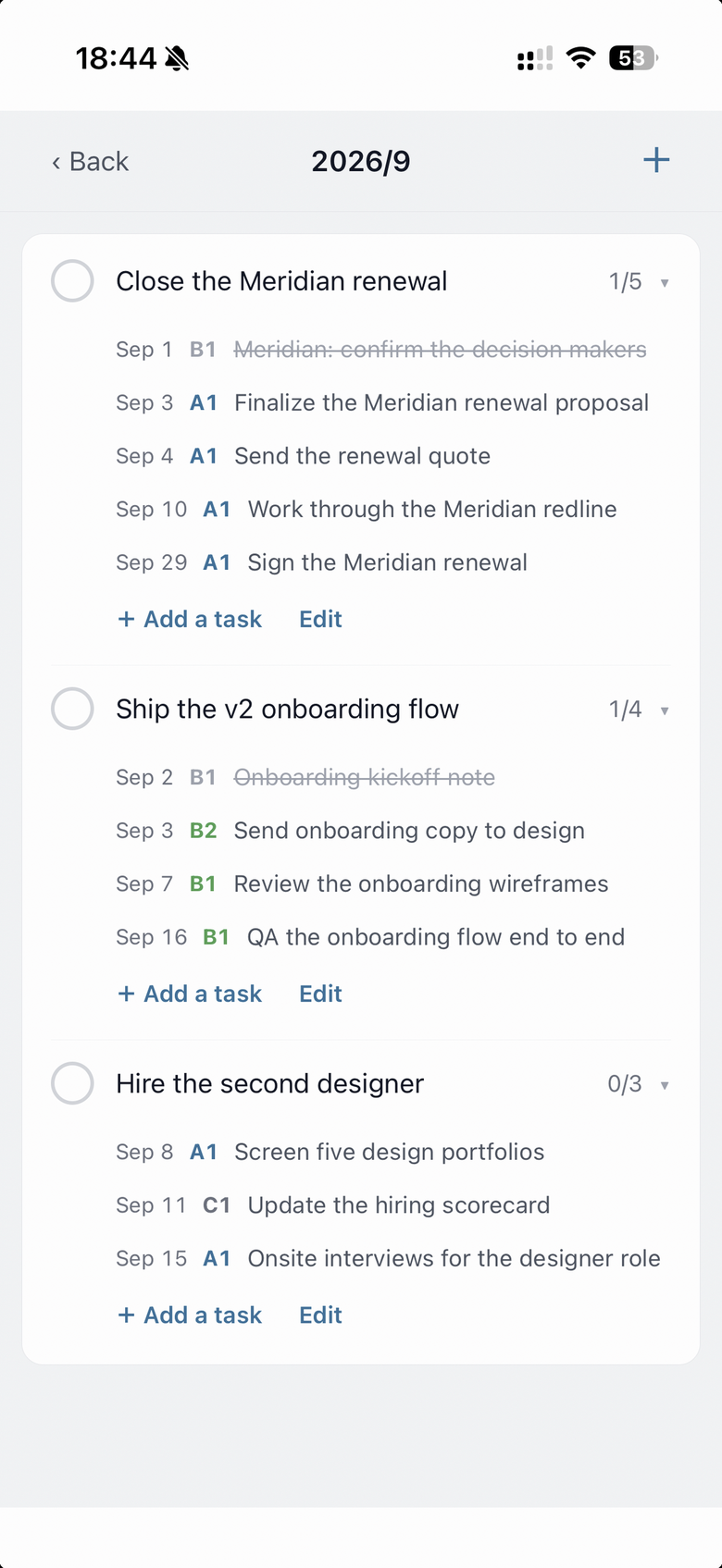
Tap + in the top right and write down what you want to achieve this month.
Goals are easier to look back on when you write them as a verb plus a number.
- ✕ “Study English”
- ○ “Learn 100 English words”
- ○ “Keep up a 30-minute run three times a week”
Putting a goal in a form where you can plainly tell whether you hit it makes the end-of-month review honest. The check at the start of each goal toggles it between achieved and not achieved at any time.
Step 3: Link tasks to a goal
This is the part that matters. You link the day’s tasks to the month’s goals.
Tap a task row to open the edit screen, then tap the Monthly Goal row. The goals for that task’s month appear, and you pick the one to link it to. (Choose None (don’t link) if you’d rather not.)
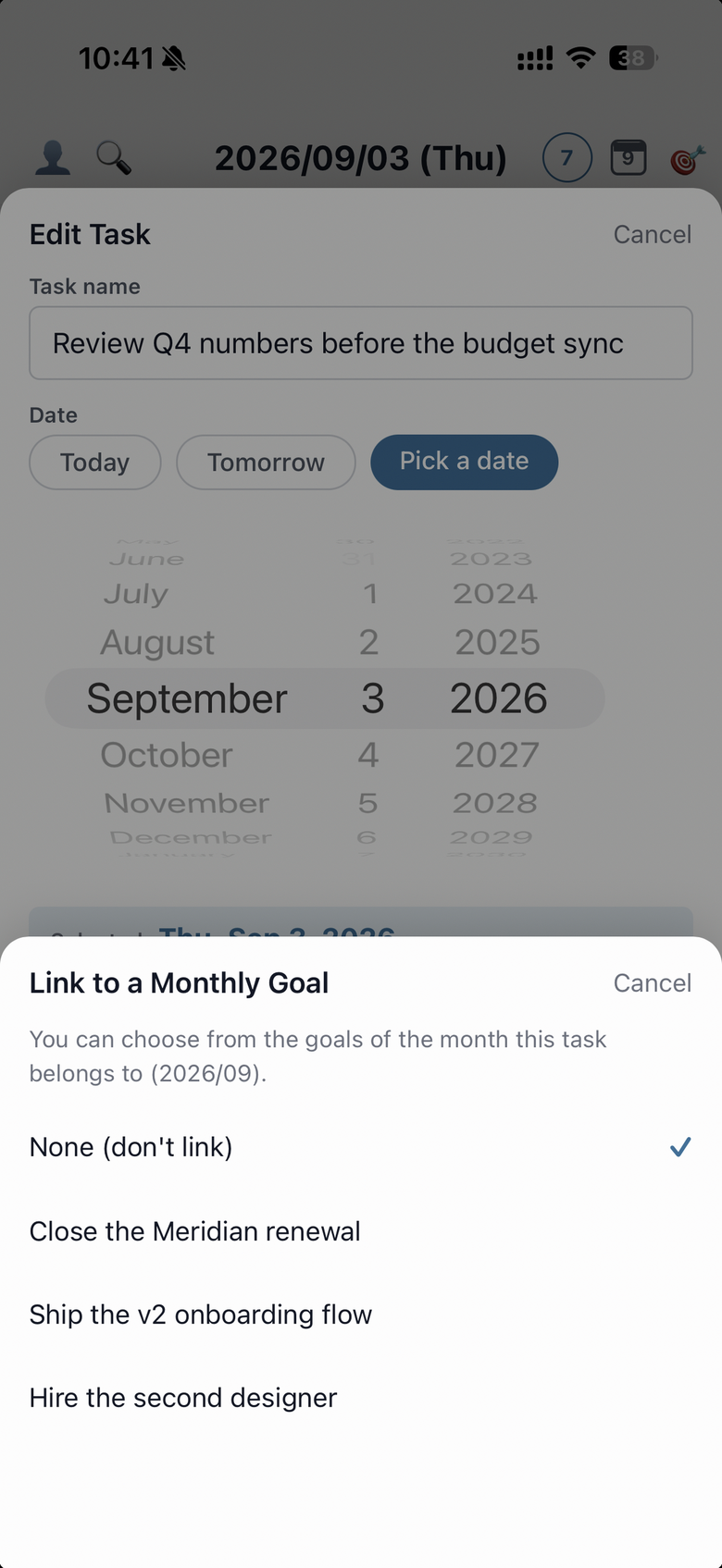
You can only link a task to a goal in the same month. Keeping to the boundary of the month — this month’s tasks to this month’s goals — is what keeps the line between intention and execution clean.
Step 4: The connection shows up
Once tasks are linked to goals, the connection surfaces around the app.
- Daily view — linked task rows carry a
🎯 goal namechip, so what today’s work is for is visible at a glance. - Monthly Goals page — each goal shows progress like “3 / 5” (how many of its linked tasks are done). Tap a goal to see its linked tasks, and tap one of those to jump to that day.
- Month view — a bar under the calendar reads
🎯 Monthly Goals 3 · 1 achieved. Tap it to check each goal and its progress on the spot.

Goal to execution, execution back to goal — you can travel in both directions, so where today’s single step lands within the month stays visible.
That’s the core: set a goal, then connect the days to it. Next up is repeating tasks — how to lay out the work that comes back every week or every month without rebuilding it each time.