 SpicaGF
Priorities exist so you can start with what matters
Once you’ve written down several tasks, it’s easy to stall on deciding which one to touch first. SpicaGF is built around a simple idea: deal with the important things first. The tools for that are the A / B / C priority and the rank within it. This guide covers how to set them, and how to think about them.
What A, B and C are for
Three levels are enough.
- A — must happen today; the most important work
- B — would like to get to
- C — only if there’s room
You don’t need to classify perfectly. Put the things you genuinely can’t skip in A, spread the rest across B and C, and that’s plenty.
Rank decides the order within a letter
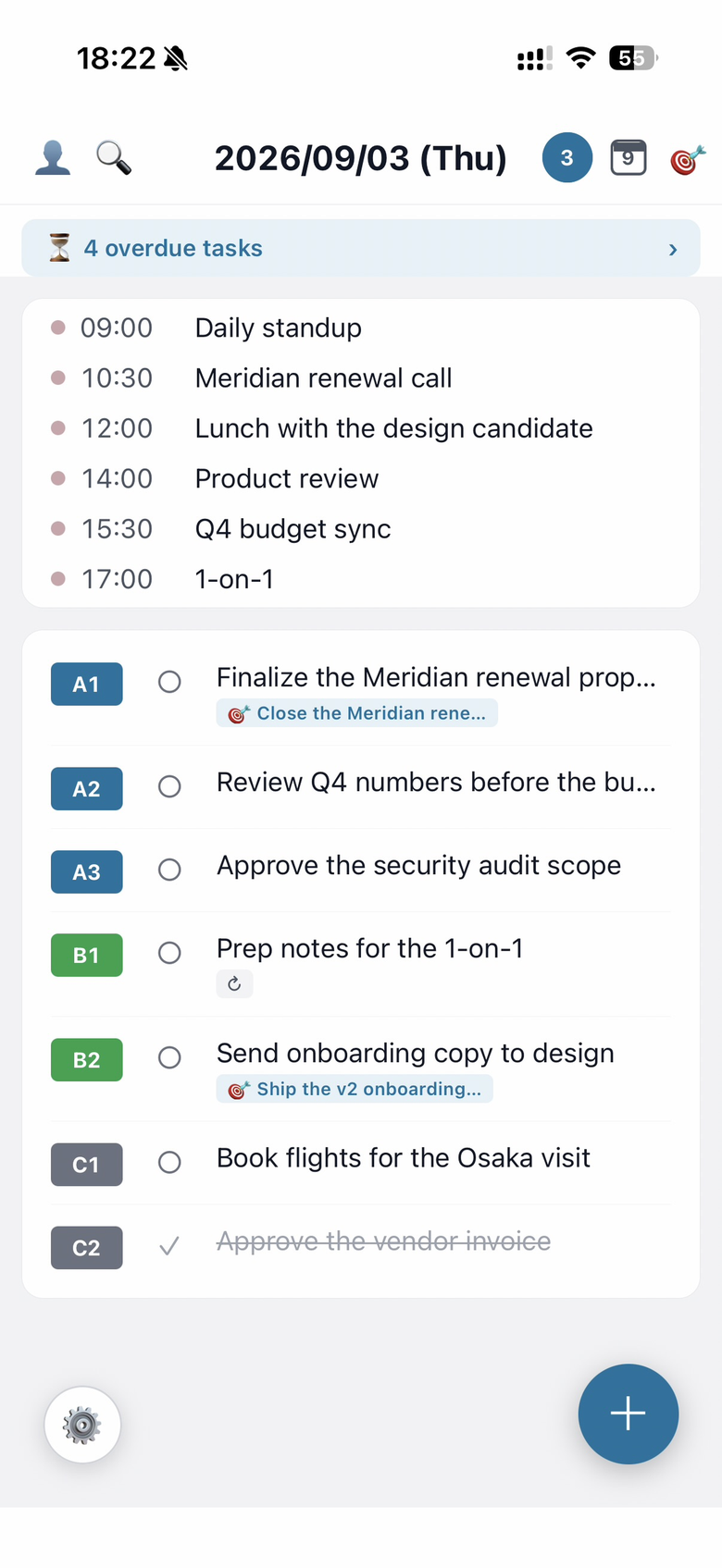
Each of A, B and C carries a rank (1, 2, 3, …). A1 means “the first thing to do among the A tasks.”
Deciding your one A1 in the morning is what gives the day a spine.
How to choose: the wheel
Priorities are set with the two-column wheel in the task creation and edit screens.
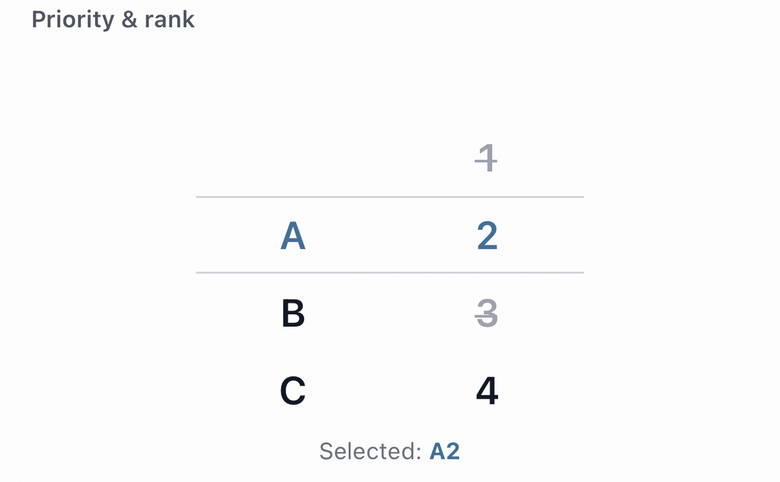
- Left column — A / B / C
- Right column — the order within it (1–99)
Spin each column; whatever lands in the middle frame is what’s selected. Your choice is echoed below as Selected: A1.
Two tasks can’t share a number
Within the same day and the same letter, ranks can’t repeat. Numbers already in use appear greyed out with a line through them and can’t be picked.
If today already has an A1, no other task can be A1. Having two “most important things today” would empty the phrase of meaning. And if you happen to land on a number that’s taken, the wheel nudges you to the nearest free one.
You can change your mind later
Priorities aren’t fixed. When the situation shifts, tap the task row to open the edit screen and pick again on the wheel.
With priorities in place, the next thing is how tasks end. The next guide covers the difference between done, dropped and deleted.